Wassup Dance AI
Wassup Dance AI video maker: upload one photo and dance the In a Minute Wassup trend on a misty green hillside, with two friends if you like
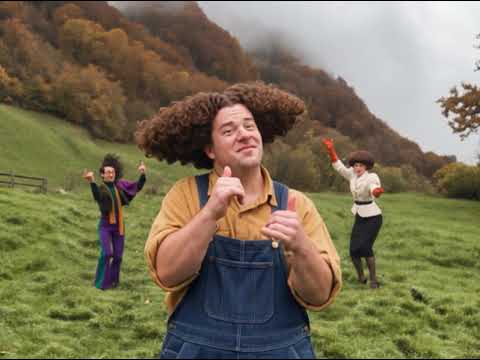 Example result
Optional. Leave it empty to keep the dancer on the left from the original clip.
Optional. Leave it empty to keep the dancer on the right from the original clip.
Photo 1 is the dancer in the middle. Photos 2 and 3 are optional and become the dancers on the left and right. If a photo shows your clothes, you keep that outfit. A face close-up gets a sweater and jeans.
Videos are made by AI, so some results may not turn out right. Common causes include photos that are blurry, too dark, too bright or partly covered, and movement the AI cannot follow. Photos of public figures may be rejected or not replaced.
JPG, PNG or WebP · 5 MB max
Failed or blocked videos are refunded
Ready in about 10 to 20 minutes
How to Make a Wassup Dance Video
One photo and a short wait, no editing app needed
Upload Your Photo
Add one clear photo for the dancer in the middle. The left and right spots are optional: add a friend to either one, or leave them empty.
Pick a Quality and Create
Choose 480p, 720p or 1080p, sign in, tick the consent box and press Create video. The price in credits is shown on the button.
Download and Post
Your video is usually ready in 10 to 20 minutes and waits in My Videos for 48 hours. Download the MP4 and post your In a Minute Wassup video to TikTok, Reels or Shorts.
Related Tools
Explore more AI tools in this category
Damon Salvatore Church Scene AI
Damon Salvatore church scene video generator: upload one photo of yourself or your pet, walk through the church doors as Damon and smirk at the camera while the whole room turns around
Duo Coffee Trend AI
Duo coffee AI video maker: upload two photos, you and your duo, and watch the two of you make one cup of coffee completely out of sync
Pimpwalk Entrance AI
Pimpwalk Entrance AI trend video maker: upload one photo and walk into the burger shop with the slow, low pimp walk entrance while someone holds the door
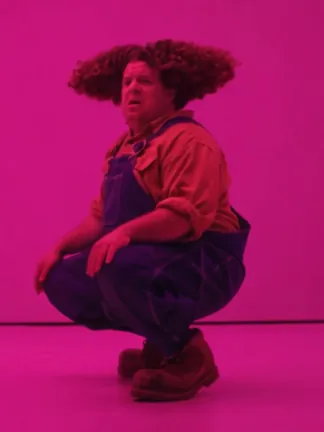
Hotline Bling AI
Hotline Bling AI trend video maker: upload two photos and trade shots dancing in the pink room from the MV
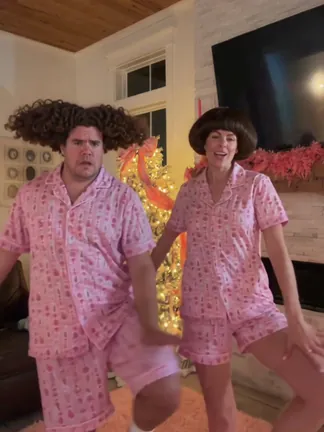
Christmas Dance AI
Christmas dance AI video maker: upload two photos and do the TikTok Christmas pajamas dance side by side in front of the tree
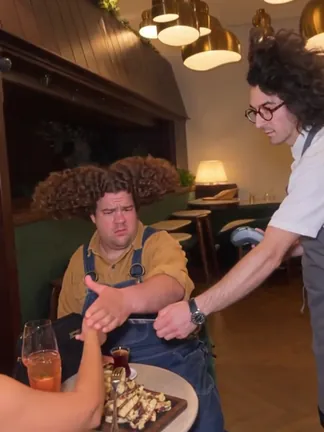
Never Let Her Pay AI
Never Let Her Pay AI video maker: upload one photo and star in the sponge wallet meme, where you wave her card away, show the waiter a sponge and end up at the dirty dishes
What Is the Wassup Dance Trend?
A TikTok dance from late October 2026, also called In a Minute Wassup, Wassup Been a Minute or the Swiss side quest dance. This page makes your own version from a photo, with no CapCut template and no AI prompt to write.
Three Friends on a Hillside
The clip is 15 seconds and four shots. Three friends dance on a steep green meadow with autumn trees and a lake below. They bounce and sway, put their hands on their heads, then the one in the middle steps up to the camera with both thumbs up. They walk up the hill together and finish spread out across the grass.
You Take the Middle Spot
Your photo becomes the dancer in the middle, the one who gets the close-up. That is the only photo you need. The two dancers on the sides stay as they are in the clip. If you want your friends in it, add a photo for the left spot, the right spot or both.
The Sound Everyone Uses
The audio is the bouncy jersey club loop of the line wassup, been a minute. It comes from the opening of the Drake song From Time, sung by Jhené Aiko. Your video keeps that sound, so it is ready to post. A photo that shows your clothes keeps that outfit. A face close-up gets a sweater and jeans like the original trio.
Wassup Dance AI FAQ
What people ask before they hit the hillside
What is the Wassup dance?
It is a short TikTok dance to a sped up jersey club loop of the words wassup, been a minute. The best known version shows three friends dancing on a misty hillside in Switzerland. They sway, hold their heads, give the camera a thumbs up and walk up the slope together.
What song is the Wassup trend?
The vocal is the opening of From Time by Drake, sung by Jhené Aiko. The trend uses a jersey club remix of that line, so most people hear it as wassup, been a minute or wassup, in a minute.
Is it In a Minute Wassup or Wassup in a Minute?
Both point to the same dance. You will also see Wassup Been a Minute, What's Up Been a Minute and Swiss side quest. The spelling changes because people write down the lyric the way they hear it.
How does this Wassup dance AI work?
Upload a photo and press Create video. The AI turns your photo into a clean reference of you, then puts you in place of the dancer in the middle while keeping every move, the timing and the sound. You get a 15 second video.
Do I need three photos?
No. One photo is enough, and it becomes the dancer in the middle. The left and right spots are optional. If you leave one empty, the dancer from the original clip stays there. Add photos to both and the whole trio is you and your friends.
Which spot gets the close-up?
The middle one. In the second shot the dancer in the middle steps right up to the camera with both thumbs up, while the other two dance in the background. That is why your first photo goes there.
What kind of photo works best?
A sharp photo of one person facing the camera, with the face evenly lit and no sunglasses, mask or hands in front of it. A waist up or full body photo also shows the AI your clothes. Blurry, dark or covered faces are the most common reason a result misses.
What will I wear in the video?
Your own clothes if your photo shows them. With a face close-up, the middle dancer gets a navy sweater and jeans, the left dancer a cream sweater with a grey skirt and the right dancer a beige sweater with jeans.
How long is the video and what format is it?
15 seconds, delivered as a landscape 4:3 MP4 with sound, in 480p, 720p or 1080p.
Can I change the hillside or the song?
No. The meadow, the trees, the lake and the sound stay as they are in the clip. You change who dances in it.
Do I need a Wassup CapCut template or an AI prompt?
No. Some posts point to a CapCut template and others share long prompts for video models. Here it all happens on one page: a photo in, a finished video out.
Is there a free Wassup dance AI?
Not here. Each video costs 800 credits at 480p, 3,500 credits at 720p or 8,000 credits at 1080p, and the price is shown on the Create video button. You need to sign in. Video tools are open to subscribers and credit pack buyers. Free monthly credits cannot be used for video. If a video fails, the credits go back automatically.
Why do I look different from my photo?
The video is made by AI and some results miss, especially in the wide shots where the dancers are small. With more than one photo the AI can also mix up details between people. A blurry, dark or covered photo is the most common cause. If a video fails, the credits go back automatically.
Can I post my video on TikTok?
Yes, as a personal post. Download the MP4 within 48 hours and turn on the AI label when you post. Do not sell the clip or use it in ads. This page is not affiliated with TikTok, CapCut, the music artists or the creators of the original clips.
Whose photos can I use?
Use your own photo and, for the side spots, photos of friends who agreed to be in the video. Do not upload strangers, children or public figures.
Still have questions?
Contact our support teamReady to Say Wassup?
Upload a photo, take the middle spot and dance on the hillside. Failed videos are refunded automatically.