Gmail Email Generator
Create Gmail dot aliases and plus-addressing email names in seconds
How to Use the Gmail Email Generator
Generate Gmail aliases in 3 simple steps
Enter your Gmail address
Paste the Gmail address you want to organize. The gmail email generator uses the username to create safe alias ideas.
Choose alias method and tags
Select dot aliases, plus aliases, or both. Add tags such as newsletter, shopping, social, trial, finance, or work.
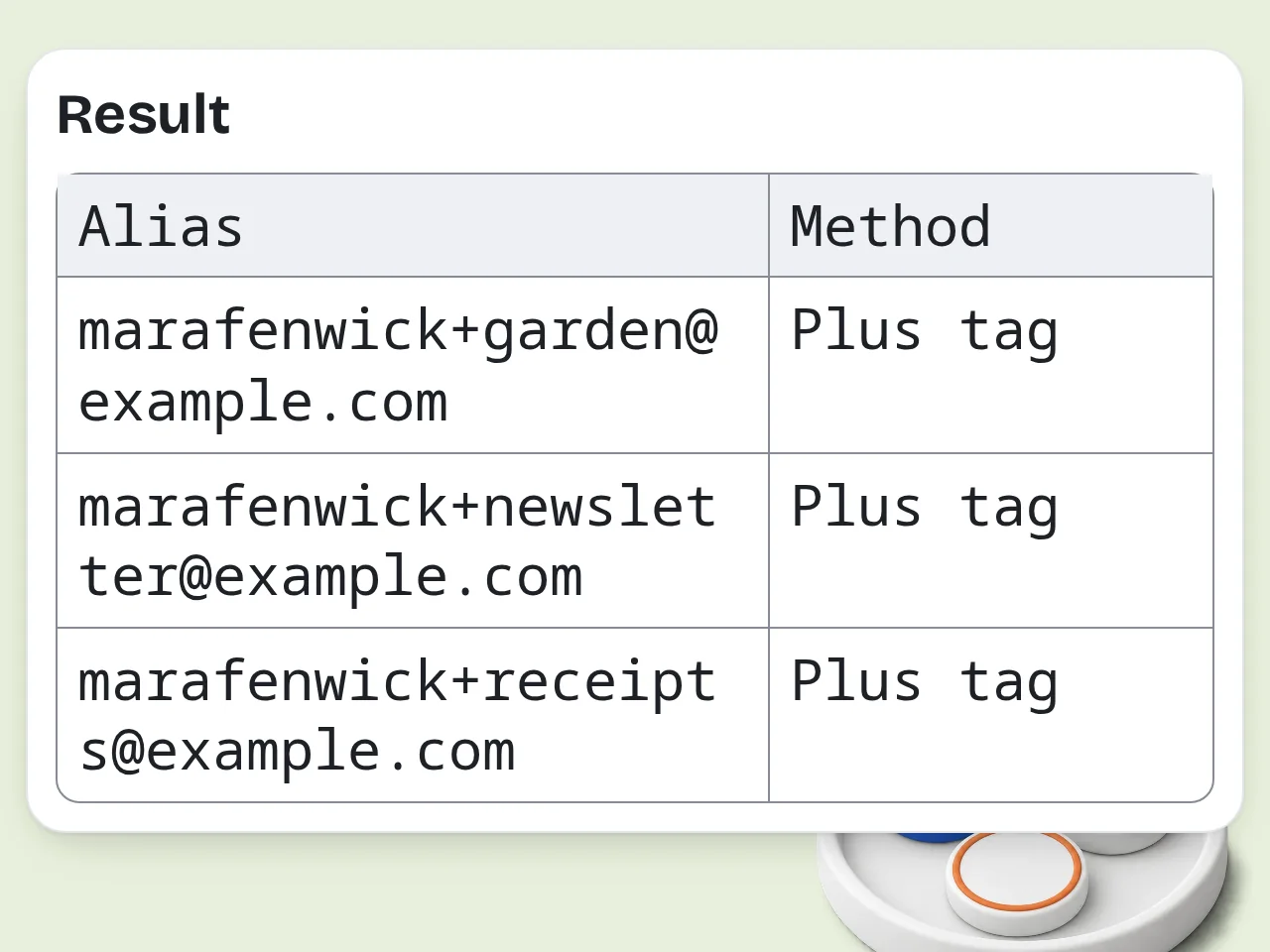
Generate and copy aliases
Review the gmail email generator results, copy the aliases you need, and create Gmail filters for cleaner inbox management.
Key Features of Gmail Email Generator
Everything needed to create practical Gmail aliases in one place
Dot and Plus Alias Generator
Generate Gmail dot variations, plus-addressing tags, or both. Each alias keeps mail flowing to the same inbox while giving you cleaner organization.
Purpose-Based Gmail Email Names
Turn use cases like newsletters, shopping, trials, finance, social, and work into readable Gmail email name generator outputs.
Filter-Ready Gmail Workflow
Get optional Gmail search queries and label ideas so each generated alias can become a practical inbox filter.
Frequently Asked Questions about Gmail Email Generator
Common questions about Gmail aliases, dot tricks, plus tags, and safe use
What is a gmail email generator?
A gmail email generator creates usable alias versions of one Gmail address. It usually uses Gmail dot variations and plus tags, so messages still arrive in the same inbox while each alias looks different. For example, a Gmail email generator can turn [email protected] into dotted versions or tagged versions such as [email protected]. These aliases help separate newsletters, shopping receipts, trials, work forms, and social signups. Use it for inbox organization, source tracking, and cleaner filters. It should not be used to create fake accounts or abuse websites.
How do I use this gmail email generator?
Enter your Gmail address, choose dot aliases, plus aliases, or both, then add any tags or use cases you want covered. The gmail email generator returns copy-ready aliases and short notes. If you add tags like newsletter, shopping, finance, or work, the tool can create cleaner plus-addressing aliases. If you choose dot variations, it makes readable versions by placing dots inside the username. Start with 10 or 20 aliases. A smaller list is easier to remember and safer to manage than hundreds of random variations.
Is this gmail email generator free to use?
Yes, this gmail email generator is free to try. Guests get limited daily free tries, free registered users have a monthly credit allowance, and subscribers can generate more often. The core features are available without writing a complex prompt: Gmail address input, alias method, purpose tags, output count, and output style. You can create practical aliases for personal organization in seconds. For casual inbox cleanup, the free tier is usually enough. Sign in if you need repeated alias planning for many projects. See the pricing page for current details.
How many times can I use the gmail email generator per day?
Guests get limited daily free tries with the gmail email generator. Free users have a monthly credit allowance, while subscribers have higher limits. Those limits keep the service stable and prevent abuse. Each generation can produce multiple Gmail aliases, so one use is often enough for newsletters, shopping, trials, finance, and work folders. If you only need a few aliases, choose 10 outputs. Use 50 outputs when you are planning a larger inbox-filter system. See the pricing page for current details.
Can I use a gmail email generator without creating an account?
Yes, you can use the gmail email generator without creating an account for quick alias ideas. Guest usage has daily limits, but it is enough for testing the dot trick and plus tags. Creating an account gives more monthly usage and makes it easier to come back when you need new aliases for another project, newsletter list, or shopping account. Do not enter passwords or private inbox content. The tool only needs the email address pattern and optional purpose tags.
What can I use Gmail aliases for?
Gmail aliases are useful for tracking signups, filtering newsletters, separating shopping receipts, organizing trials, and spotting which service leaked an address. A gmail email generator makes those aliases faster to create. For example, [email protected] can route store receipts into a Shopping label, while [email protected] can help you review software trial messages later. Dot aliases work where plus signs are not accepted. Use clear tags. A readable alias is easier to search, filter, and remember months later.
Does this tool support Gmail plus addressing?
Yes, the tool supports Gmail plus addressing. Choose plus aliases or dot and plus aliases, then enter tags such as newsletter, social, work, shopping, finance, or trials. Plus addressing creates aliases like [email protected]. Gmail sends those messages to the same inbox, and you can search for `to:([email protected])` or create a filter for that alias. Some websites block plus signs. In that case, use dot variations or a normal address instead.
How does the Gmail dot trick work?
The Gmail dot trick works because Gmail ignores periods inside the username part of many Gmail addresses. [email protected], [email protected], and [email protected] can route to the same inbox. A gmail email generator can create readable dot variations automatically. These aliases are helpful on sites that reject plus signs but still accept normal-looking Gmail addresses with periods. This behavior is specific to Gmail and Google Workspace setups. Do not assume Outlook, Yahoo, iCloud, or custom mail providers handle dots the same way.
Why use this gmail email generator instead of doing it manually?
Using a gmail email generator is faster than manually testing dot positions and writing plus tags one by one. It gives organized aliases with notes, use cases, and optional filter queries. Manual alias planning gets messy when you need separate addresses for newsletters, stores, social profiles, client work, testing, finance, and trials. The generator keeps the list consistent and easy to copy. You can still edit any alias before using it. Treat the output as a clean starting plan, not a locked rule.
Why use this tool instead of asking ChatGPT directly?
This gmail email generator is focused on one task, so you do not need to explain Gmail alias rules every time. The form guides the output toward safe, useful aliases. A general chatbot may mix Gmail aliases with temporary inboxes, account creation, or email writing. This tool keeps the workflow narrow: enter address, choose method, add tags, get aliases and filter tips. Use a focused tool when you want quick results. Use a broader chatbot if you need a custom email-management strategy.
Can generated Gmail aliases send email too?
Generated Gmail aliases mainly help receive and filter email. They do not create separate inboxes, and you cannot automatically log in as every alias like a new Gmail account. Gmail can sometimes be configured to send mail as another address or alias, but that is a separate Gmail settings workflow and may require verification. For most users, aliases are best for receiving and organizing mail. If your goal is professional sending, use a proper business email or verified sender setup.
What if a website rejects my Gmail alias?
If a website rejects a Gmail alias, try a simpler version. Some sites block plus signs, unusual tags, or too many dots, even though Gmail itself can route those addresses correctly. Use dot-only variations when plus addressing fails. If dot variations also fail, use your normal Gmail address and create a Gmail filter based on sender, subject, or message content instead. Do not use aliases to bypass platform rules. They are for organization and tracking, not evasion or abuse.
Still have questions?
Contact our support teamReady to Generate Gmail Aliases?
Create organized Gmail aliases and filter ideas from one address.