Handyman Invoice Template
Create a professional handyman invoice or bill in seconds
How to Use Handyman Invoice Template
Get your handyman invoice in 3 steps
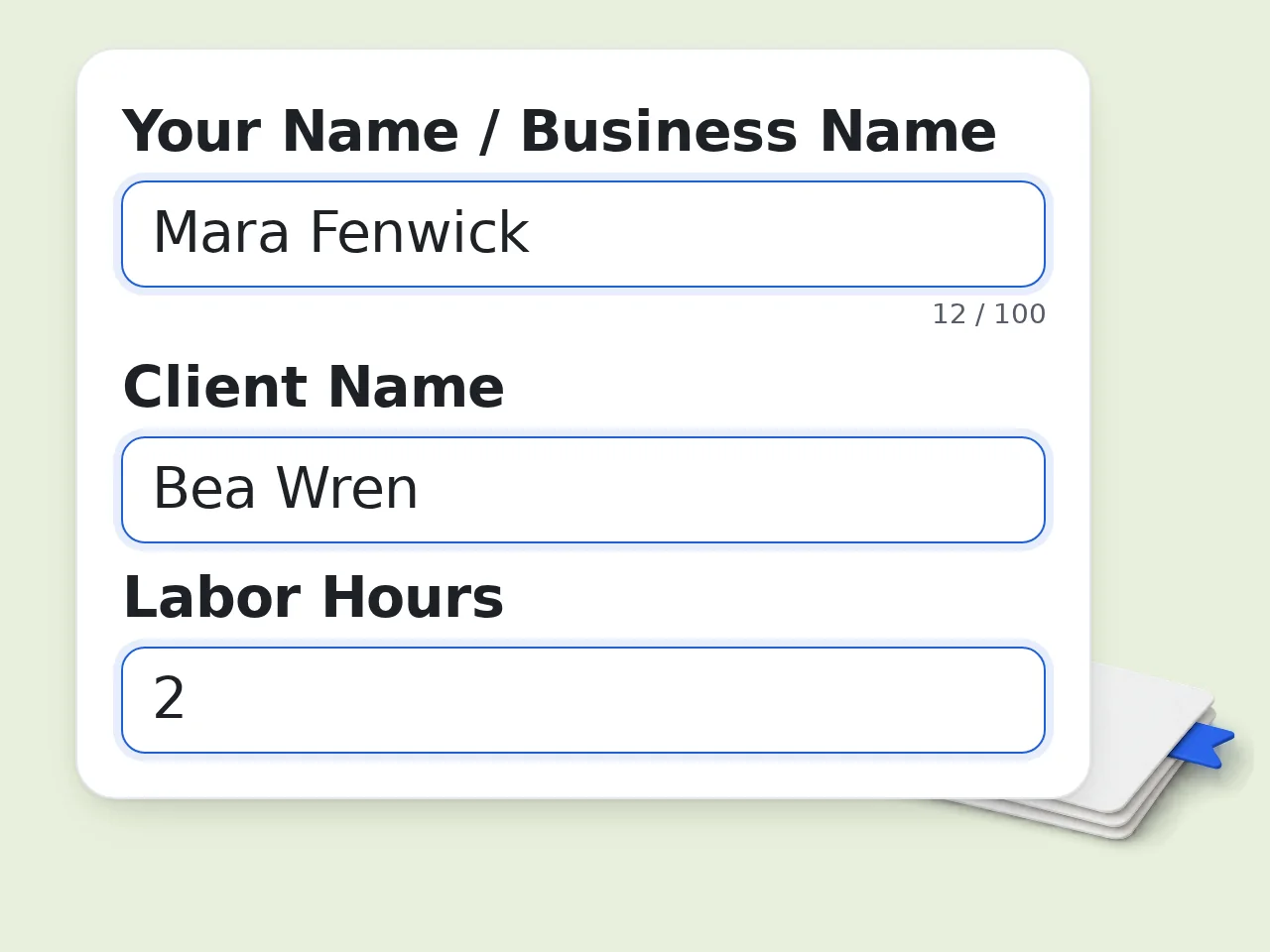
Enter your name and the client's name
Type your business name and the client's name in the fields. These appear at the top of your handyman invoice template.
Describe the work and add hours, rate, and materials
List the repairs or tasks you completed. Add your labor hours, hourly rate, and any materials or parts used with their costs.
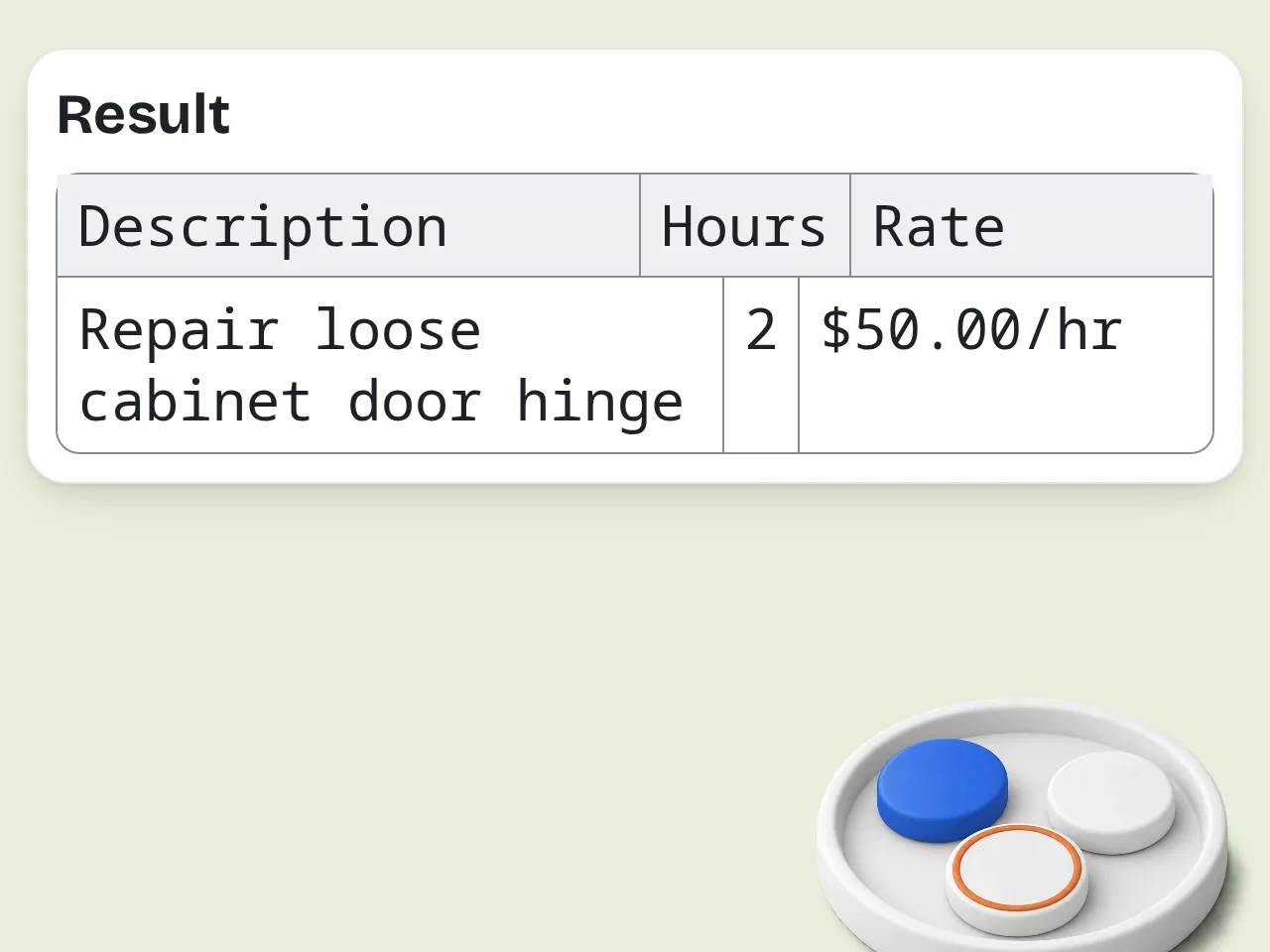
Generate and copy your handyman bill template
Click generate. Your complete handyman invoice example appears instantly — copy it, send it by email, or paste into a document.
Key Features of Handyman Invoice Template
Everything you need to bill clients faster
Auto-Calculated Labor & Material Totals
Enter your hours and rate — the invoice calculates labor cost automatically. Add materials with prices and get a complete line-item breakdown.
3 Invoice Styles: Professional, Friendly, Detailed
Pick the tone that matches your business. Professional for corporate clients, friendly for regular customers, detailed for complex multi-task jobs.
Ready-to-Send Handyman Bill Format
Output includes invoice number, itemized services, materials, totals, and payment terms. Copy, paste, or send directly to your client.
Frequently Asked Questions about Handyman Invoice Template
Common questions answered
What is a handyman invoice template and how does it work?
A handyman invoice template is a pre-formatted document that lists the services you completed, labor hours, materials used, and the total amount owed by the client. This AI-powered handyman invoice generator takes your job details as input — your name, client name, work description, hours, rate, and parts — and produces a complete, formatted handyman bill template in seconds. No spreadsheet formulas to set up. No blank invoice to fill manually. Enter your details and get a ready-to-send invoice.
How do I use this handyman invoice generator?
Fill in your name, the client's name, what work you did, how many hours you worked, your hourly rate, and any materials or parts you used. Then click generate. The tool builds a complete handyman invoice example from your inputs — with a generated invoice number, itemized labor line, materials table, totals, and payment terms. For best results, list each task separately in the work description field (e.g., "Fixed leaky faucet, replaced door hinges, patched drywall").
Is the handyman invoice template free?
Yes, this handyman invoice template generator is completely free. Visitors without an account get limited daily free tries at no cost. Free registered users have a monthly credit allowance. Subscriber plans are available if you invoice frequently and need higher limits. No credit card required to start. Sign up takes under a minute. See the pricing page for current details.
How many handyman invoices can I generate per day?
Without an account, guests get limited daily free tries. Free registered users have a monthly credit allowance — enough for most independent handymen. Subscription plans offer higher limits for contractors who bill multiple clients per day. Bookmark this page for quick access on the job site. See the pricing page for current details.
Can I use this handyman invoice template without creating an account?
Yes. No signup or account is needed to use the handyman invoice generator. Open the page, fill in your job details, and generate your invoice immediately. Creating a free account gives you higher usage limits and lets you access the tool more frequently each month. Registering is optional and always free.
What types of handyman jobs can I invoice with this tool?
This handyman invoice template works for any repair or maintenance service: plumbing fixes, carpentry, drywall patching, door and window repairs, fixture installations, furniture assembly, painting, gutter cleaning, and general odd jobs. Just describe what you did in the work description field. The AI turns your description into professional line items on the invoice. Works equally well for single-task and multi-task jobs.
Does the handyman bill template include materials and parts costs?
Yes. The materials field lets you list every part and supply used with its cost. The generator creates a separate materials table on your handyman invoice with individual items and a subtotal. Example input: "Faucet cartridge $15, door hinges x2 $12, drywall patch kit $8" — the tool turns this into a clean line-item breakdown. If you don't have individual prices, you can list materials without costs and add a combined materials total.
Why use this AI handyman invoice template instead of a Word or Excel file?
A static Word or Excel handyman invoice template requires you to fill in every field manually, fix formatting when rows change, and calculate totals yourself. This AI handyman invoice generator takes unstructured notes — "fixed three things, 2 hours, some parts" — and turns them into a polished, formatted invoice automatically. Faster, fewer errors, and no template file to download or manage.
How does this handyman invoice generator differ from using ChatGPT?
ChatGPT can draft an invoice if you paste a detailed prompt, but it requires you to know exactly how to ask and what to include. This handyman invoice template tool has purpose-built fields for every invoice element — handyman name, client, labor hours, rate, materials, payment terms — so you get consistent, complete results every time without writing a prompt. Built specifically for handymen, so the output matches standard invoice formats clients recognize.
Can I choose the payment terms on my handyman invoice?
Yes. The generator supports three payment terms: Due on Receipt, Net 15, and Net 30. Select the option that matches your billing arrangement with the client. Due on Receipt works for most residential jobs. Net 15 or Net 30 is typical for larger commercial handyman contracts. Payment terms appear clearly at the bottom of every generated handyman bill template.
How can I get better results from this handyman invoice template?
Be specific in the work description — list each task separately rather than writing one vague sentence. "Replaced kitchen faucet, fixed squeaky door, patched ceiling crack" generates better line items than "did repairs." For materials, include item names and prices when possible. This gives clients a transparent breakdown they're more likely to pay without questions. Use the Additional Notes field for warranty info, follow-up inspection offers, or personalized thank-you messages.
What if the handyman invoice output isn't what I expected?
Try adding more detail to the work description and materials fields. The more specific your input, the more accurate and complete the handyman invoice example will be. If costs are missing, add them to the materials field in the format: "Item name $price" and regenerate. You can also switch invoice styles — Detailed mode gives the most thorough breakdown for complex multi-task jobs.
Still have questions?
Contact our support teamGenerate Your Handyman Invoice Now
Fill in your job details and get a professional invoice in seconds. Free.